Designing Self-Service Into a Move Management Portal
Clients weren't logging in — so move managers handled everything manually. I led the redesign that changed that.
ROLE
Sole UX/UI Designer
TIMELINE
3/23 - 7/23
TEAM
8 People
SCOPE
MVP Prototype
DOMAIN
Enterprise SaaS
TOOLS
Figma, FigJam, Miro, Optimal Workshop, MUI Components
GETTING STARTED
Project Overview
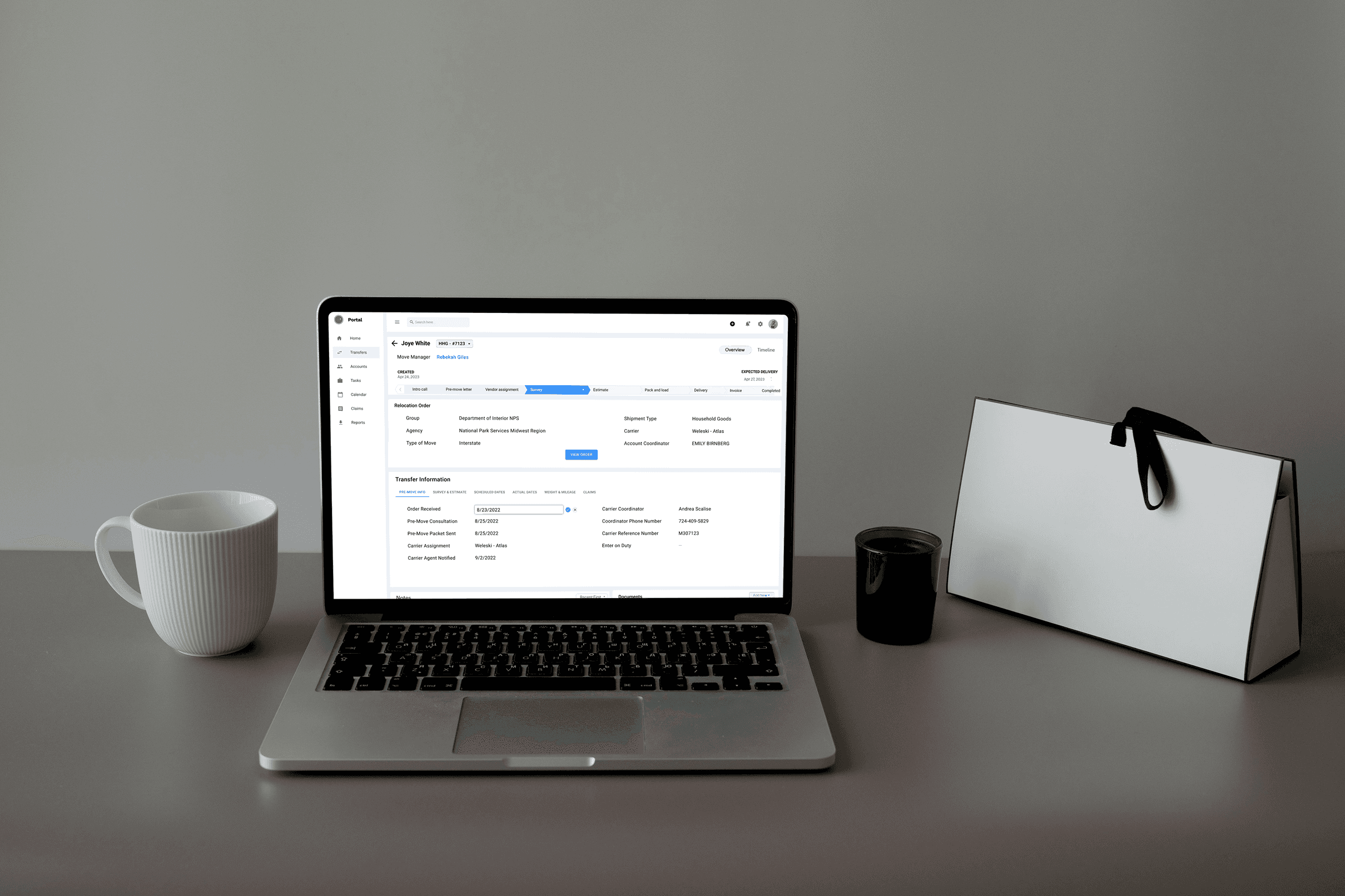
I modernized the portal without disrupting active operations
ACE Relocation Systems manages every phase of corporate and government relocations — initial contracts, shipment tracking, storage, and final delivery.
Their move managers are operators coordinating complex, time-sensitive logistics across multiple stakeholders: clients, carriers, and government agencies. The tool they relied on to do all of this was a legacy web portal that hadn't been meaningfully updated in years. It was slow, confusing, and created more work than it saved. I was brought in as the sole designer to lead the UX effort for a ground-up redesign.
Operational Inefficiency
Move managers routinely left the portal to complete tasks by email and phone. New users required a full week of training just to navigate the system independently.
No Automations
Move managers were spending roughly 45% of their time manually updating task progress and key dates. There was no automation and no integration with other company systems.
Poor User Experience
UI had serious structural problems: no visual grouping of related information, no clear task flows, ambiguous labels, and jargon-heavy copy that even experienced staff found confusing.
FOCUS
The Goal
The existing system was hard to use, didn't support collaboration between ACE and its clients, and was significantly underutilized by the people it was built for.
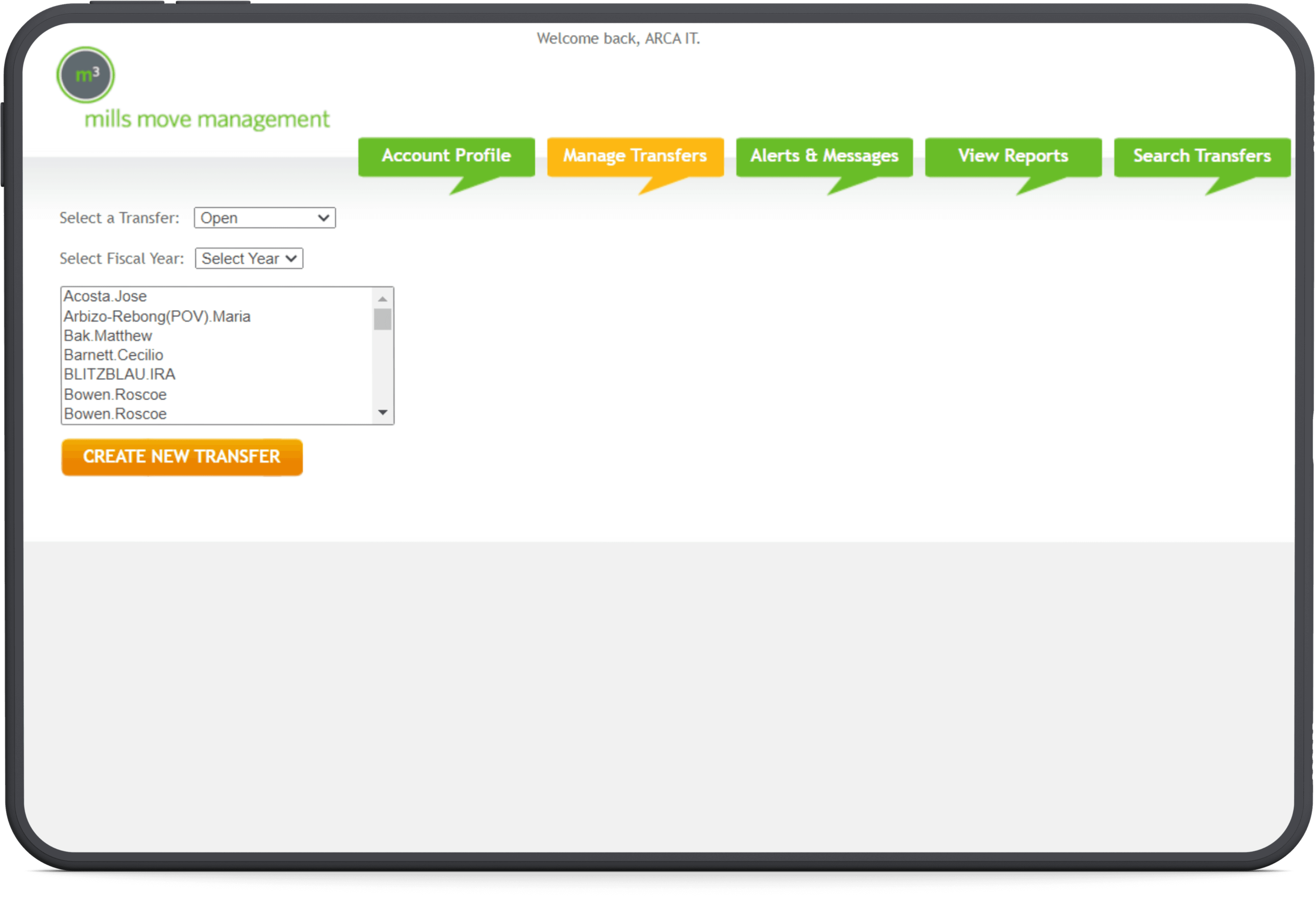
The goal was to redesign the outdated portal which was hard to use and didn't allow for business-client collaboration. The old portal needed a significant overhaul to optimize the organization of user data, simplify move initiation, and streamline the management of critical customer and transfer information.
The challenge was to encourage client usage of the portal, which was underutilized. Enabling business-client collaboration for updates aimed to alleviate the workload on move managers, eliminating the need for manual client outreach and data input.
Client & Vendor Self-Service
Make the portal usable enough that clients and vendors would log in to view and update their move info, without needing to call anyone.
Reduce Manual Workload
The goal was to streamline their daily workflows so they could manage moves instead of managing the tool.
Cut Onboarding Time
The goal was to make the system learnable through clear IA, plain language, and intuitive structure — not through training sessions.
WHAT'S ON
Design Process
I structured the project into four phases, each building on the findings of the previous one:
Audit & Heuristic Evaluation
Understand the existing system. What does it do? Where does it fail?
User Research & Process Mapping
Understand the people and the process. Who uses this, how, and why?
Competitive Analysis
Understand the landscape. How do others solve these problems?
Design, Test & Iterate
Generate ideas quickly, test them with real users weekly, and converge on a validated MVP.
DIFFICULTIES & LIMITATIONS
Challenges
Almost everything, except the business requirements, was undefined.
There were no user requirements — no personas, no documented workflows, no record of what users actually needed versus what the system happened to provide. There were some functional requirements, but they described what the system should do, not how people should experience it. There was no design documentation, no style guide, no component library, and no prior design work to reference.
Another big challenge was that relocation CRM portals aren't publicly available — no free trials, no demo accounts, no published screenshots. Standard competitive analysis methods didn't apply. I had to find creative ways to study how others solved these problems.
No Design Brief & User Requirements
User requirements were completely undefined.
Sole Designer, No Design Library, Full Ownership
I was the only designer on a six-person team. No design lead, no mentor, no second opinion.
Closed Competitive Landscape
Relocation CRM portals aren't publicly available.
STEP 1 — AUDIT
Design Problem Definition
System Audit
Heuristic Evaluation
What does the existing system do?
Does it do it well?
From the design perspective, I required a more grounded, user-centered understanding of the design problem. To do it, I needed to match the business problem with the design problem. I started doing it by conducting a thorough audit of the existing system. I reviewed each page, including the dashboard, forms, event logs and so on. While studying the portal I also conducted heuristic evaluation - so I could identify both functional and usability issues.
Dashboard
No Workload Overview
After logging in, move managers saw a list of transferee names within a single account — with no task summary, no status counts, and no way to understand their current workload at a glance.
No Search or Filtering
Finding a specific transferee required scrolling through a fixed-size list box. There was no search, no sorting, and no way to resize the list — a serious bottleneck for managers handling dozens of active moves.
Misleading Navigation
Four of six navigation tabs led to sections that were either non-functional or unusable due to unreliable data. Nearly all work happened under one tab — Manage Transfers — making the rest of the navigation misleading.
Transfers
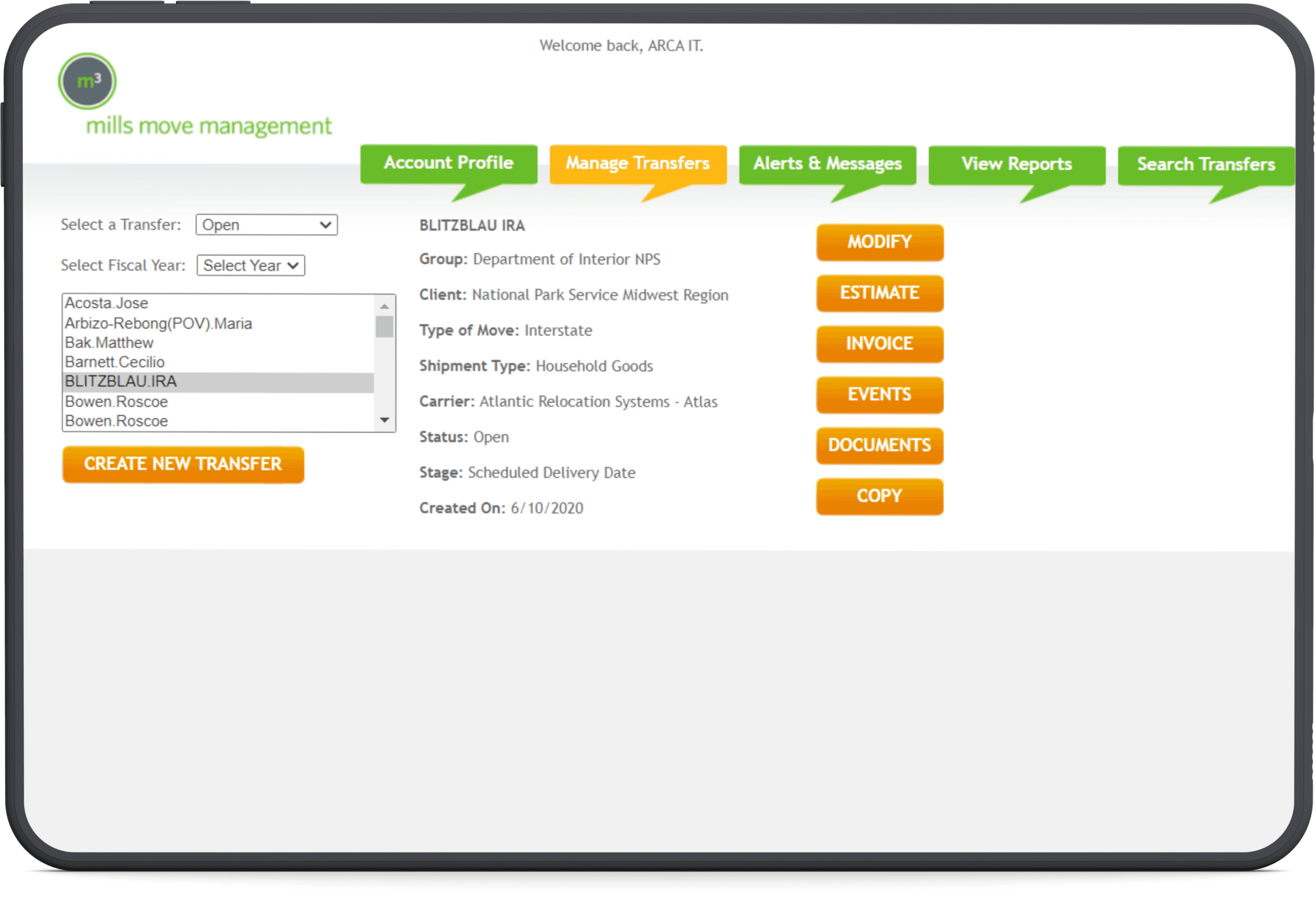
No Clear Flow
The page presented transfer details, action buttons, and metadata without a logical sequence. There was no indication of what to do first or which action was relevant to the user's current task.
Jargon-Heavy Labels
Entry names used internal codes and abbreviations that were meaningful to the system but not to users. New move managers had no way to understand what they were looking at without asking a colleague.
No Contextual Information
Selecting a transfer showed basic metadata — name, type of move, carrier — but no status timeline, no upcoming tasks, and no history. Users had to click through multiple screens to understand where a move actually stood.
Event log
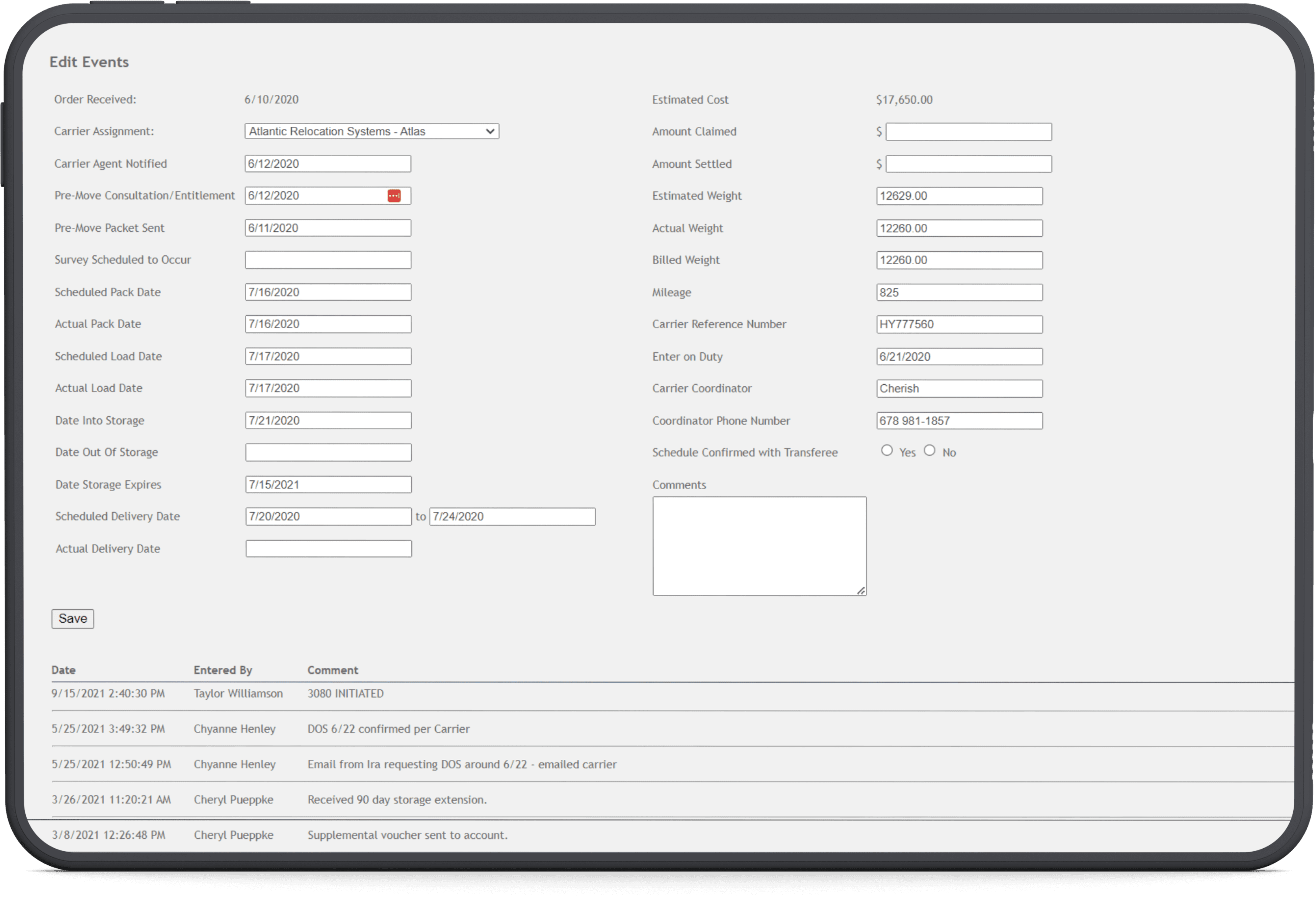
No Visual Grouping
Over 30 fields — dates, prices, weights, contacts — were displayed in a flat two-column form with no sections or categories. Pre-move dates sat next to financial figures with nothing to separate them.
High Cognitive Load
The layout never became automatic, even for experienced users. New move managers struggled to locate the right field, and the sheer density of information made every interaction mentally taxing.
Unstructured History
The activity timeline was a plain table of dates, names, and comments with no filtering, no categorization, and no way to distinguish a routine update from a critical event. Long entries dominated the view while short entries got lost.
STEP 1 — PROCESS MAPPING
Understanding User Experience
System Audit
Heuristic Evaluation
What is move management and what is user day-to-day workflow like?
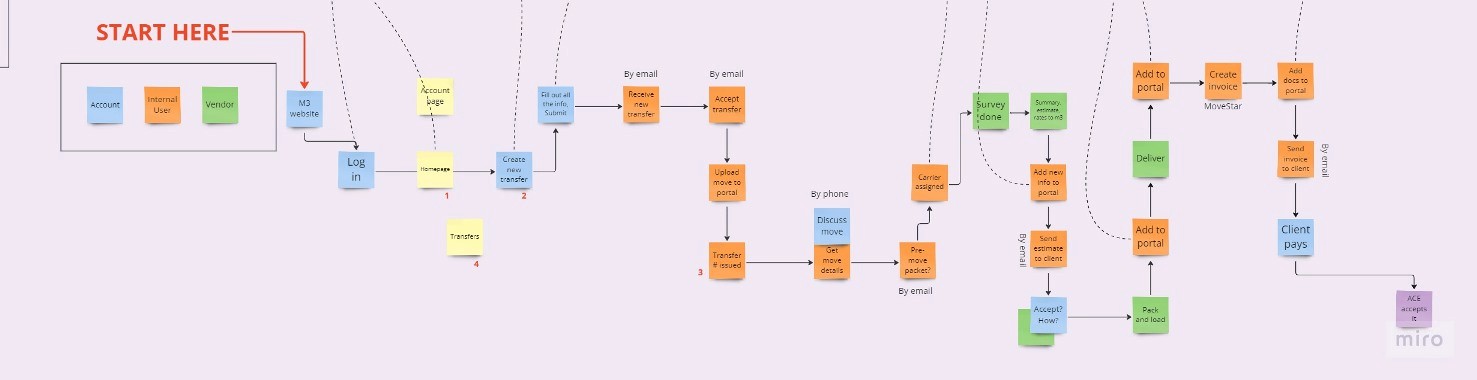
I observed daily workflows of move managers and created a flowchart of the end-to-end process to identify inefficiencies. The design goal here was to understand the ux and help the team gather user requirements. Each step in the move management process was mapped as a chart and linked with the respective screen in the CRM where the step happens.
DIFFICULTIES & LIMITATIONS
Expected Outcomes
33% more efficient operations.
1
User-friendly forms
The redesigned move initiation form offers a more intuitive experience, making it easier for clients to complete and submit, removing the need of training.
2
Streamlined layouts
Move-related information presented on a single page, as opposed to the previous fragmented presentation across 5 different pages.
3
Intuitive data retrieval
Simplified database exploration with commonly used filters. According to stakeholders, onboarding time can potentially decrease by 50% for new move managers.
4
Reduced burden
The redesign will decrease the workload of move managers with task automation and reminders.